Make Windows Explorer easier to use

As anybody who spends serious time on a computer knows, any help navigating your file and folder structure is very welcome.

Top Recommended Alternative

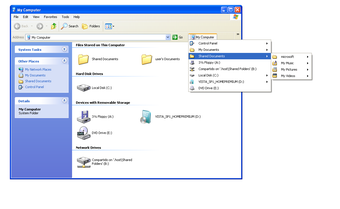
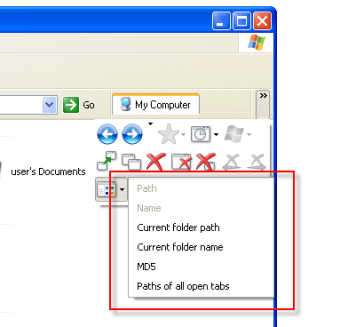
QTTabBar is a small and slightly mysterious application to do just that. I have to admit that once I installed it, I was a bit lost - the application doesn't install any links or shortcuts. What you'll need to do is right-click in any window toolbar and enable the QTTabBar and QTTabBar Standard Buttons options.

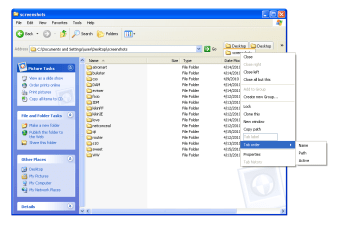
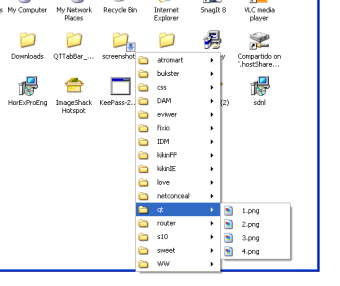
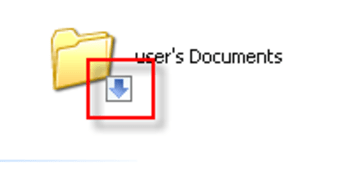
Once you have that sorted out, you can actually start to use QTTabBar. It basically provides a series of shortcuts and easy access links to your files. You can also drag and drop folders to the toolbar to have them appear as tabs. Right-clicking will show you the options available, and if you hover over a folder an arrow will appear - clicking on it will allow you to preview and access the contents.

QTTabBar is by no means a bad program, but it is not recommended for beginners. If you are used to using some kind of Explorer enhancement, you may well decide the app provides exactly the functionality you need, so give it a try. If it is your first time using one, however, I'd advise you to stay away from QTTabBar. It's badly documented and doesn't make your first steps in advanced Windows Explorer functionality any easier.

QTTabBar brings useful extra functionality to Windows Explorer, but it's not very user-friendly.

Changes

Some minor bugs fixed

  • Pros

    • Adds useful functions
    • Unobtrusive
    • Browser integration
    • Shows previews for certain document types
  • Cons

    • Hard to figure out
    • No help
    • Browser integration only works with Internet Explorer
 0/5

App specs

  • License

    Free

  • Version

    1.5.6-beta.1
  • Latest update

  • Platform

    Windows

  • OS

    Windows 11

  • Downloads

    10.6K

    Last month's downloads

    • 55
  • Size

    1.33 MB

  • Developer

Program available in other languages


User reviews about QT TabBar

4.4

1 reviews

Add review

Main reviews for you

  • Anonymous user

    The better Explorer (file manager). Exactly what is missing at the Explorer (file manager)It´s a must to have it.Instead of multiple Explorer windows you have only one Explorer window open with multiple tabs.The listed version 1.2.2.1 is old, check the net for 1.5.0.0a4 or higher.This 1.5 runs also smooth on Win7-64bit. Pros: -No additional filemanger needed for copying files from A to B.-Permanent tabs, reappear if Explorer was closed and is re-opened-It´s a DLL/extension which gets integrated into the Explorer shell. You can easily switch it off/deactivate it via Views-menu.-Bread crumb navigation possible at right window pane (file and folder level). Rises the rating for the program! Cons: -No sync or similar functionality, so you still need Total Commander for this (the ftp functionality for this is lightyears faster than copying it with the Explorer the "regular" way). But I think that was not intended to be integrated into QT Tab.-v1.2 is old and not running stable with Win7-64bit, it´s stable for WinXP or Vista-32bit. Newer version 1.5 is available and is stable with Win7-64bit.-Activation in Views menu needs to be done manually.


More

You may also like

Alternatives to QT TabBar

Explore Apps

Latest articles

Laws concerning the use of this software vary from country to country. We do not encourage or condone the use of this program if it is in violation of these laws.